2KXL PLUS
Install guide
This is the install page for 2KXL PLUS v1.3.2 on the Akai MPC2000XL. Watch the video below for a real time look at the process; the written steps on this page apply to the current release.
Requirements
- An Akai MPC2000XL. Not an MPC2000, MPC3000, or a later MPC.
- A computer that can unzip a ZIP file.
- A way to put your file on the MPC: a floppy emulator, a ZuluSCSI, or any drag-and-drop removable storage method (USB Zip drive, Compact Flash reader, or similar).
- A copy of the stock Akai OS file, so you can revert if you choose to. Get it from the Akai legacy downloads page.
- Always back up your work.
If you cannot load an OS onto the machine yourself, do not install this. Write to hello@clevedonroad.com before you buy if you are unsure.
Backup
- Save your programs, samples and sequences to disk. An OS change does not replace a project backup.
- Keep a copy of the stock Akai OS file that already runs on your machine.
- Keep the 2KXL PLUS ZIP. You may need it again.
Check that your backups load, work on copies of your disks, and keep stock Akai OS 1.20 MPC2KXL.BIN on hand. If the new OS does not boot, reinstalling that file is how you return to stock OS 1.20.
Install
- Unzip
2KXL_PLUS_v1.3.2.zipon your computer. - Read
README.txtandINSTALL.pdf. Keep2KXL_PLUS_v1.3.2_Guide.pdffor the feature instructions and operating notes. - Copy
MPC2KXL.BINto the root of the volume the MPC will load from. Do not rename it. Do not put it in a subfolder. - If you use a ZuluSCSI or similar, that root is inside a SCSI disk image (for example
HD1.img), not the SD card's Mac/PC partition. - Insert the storage media and power on the MPC.
- Press SHIFT+LOAD.
- Set Device: to the volume that holds
MPC2KXL.BIN. Select the file (512 KB) and press DO IT. - When the display says This writes OS to Flash memory, press DO IT to confirm.
- Wait. You should see loading, then block erase, then Flash memory write %. Do not power off.
- When it finishes, press any key to restart.
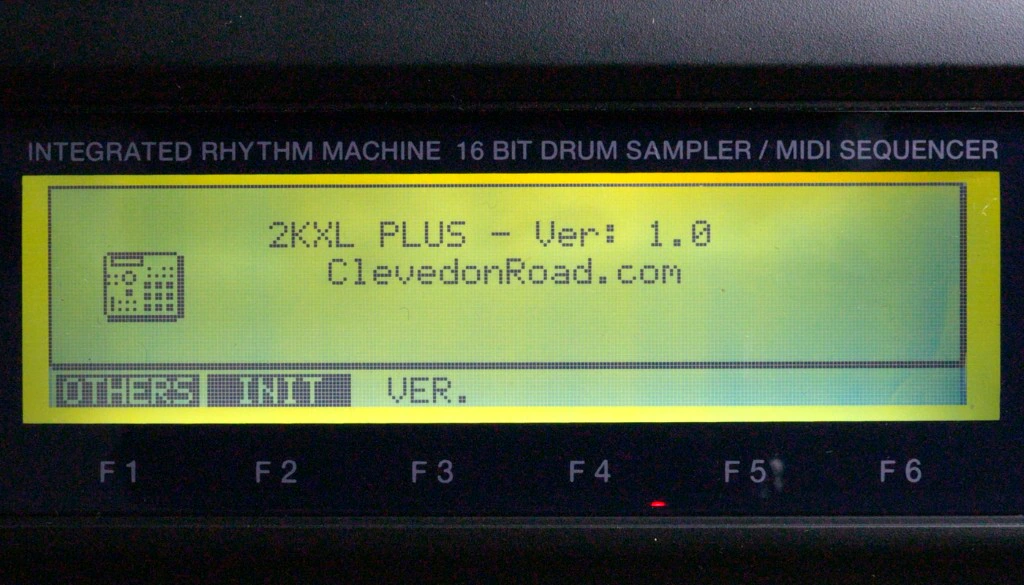
- The 2KXL PLUS splash plays once and then MAIN opens. Go to SHIFT+OTHER > VER and confirm 2KXL PLUS - Ver: 1.3.2.
During startup: touch nothing during the splash or while anything loads or saves, including an automatic APS load. Do not press pads, keys or STOP, and do not send MIDI input. Do not turn off the MPC during the OS update.
What we test
v1.3.2 was tested on the developer’s MPC2000XL, including cold boot, save and reload, and updating over the previous test build. Updating directly from v1.1 or from stock Akai OS 1.20 to v1.3.2 has not yet been tested. The update uses the normal MPC2000XL OS process. If you try either direct update, please report whether it worked to hello@clevedonroad.com.
Check the installed version
Open SHIFT+OTHER > VER. You should see 2KXL PLUS - Ver: 1.3.2. F5 SPLASH replays the startup animation; MAIN SCREEN stops a replay.
Protect your source Sounds
- Normalize and HIGH PASS UTILITY change the selected Sound in place. Work on a copy.
- Save CHOPS as MPC2000XL
.SNDfiles. WAV files do not store CHOPS. - Stock Akai OS 1.20 can load the audio from a Chop Sound, but saving that Sound again from stock OS or another tool that rewrites the
.SNDremoves its CHOPS. - RE-SAMPLE SP creates a new Sound and leaves the original untouched.
- Close 16 LEVELS before assigning Sounds to pads.
Go back to the stock OS
- Insert the stock Akai OS disk or load the file you downloaded from the Akai legacy downloads page.
- Load and boot the stock OS the same way you installed 2KXL PLUS.
- Open SHIFT+OTHER > VER. The version name should be the stock Akai OS.
Support
Write to hello@clevedonroad.com.
If you find a bug please include the following information:
- MPC model (must be MPC2000XL)
- Version shown at SHIFT+OTHER > VER
- 2KXL PLUS version you tried to install (1.3.2)
- How you loaded it (floppy emulator, ZuluSCSI, USB Zip, Compact Flash, or similar)
- The exact error or what the screen shows
- The email you used to pay