See 3K PLUS in action.
 Watch the 3K PLUS demo on YouTube ↗
Play the demo on this page
Watch P-Money demonstrate waveform editing and Lazy Chop with 3K PLUS on the MPC3000.
3K PLUS for MPC3000
Developed by P-Money
Launch week price. Standard price US$49. Tax calculated at checkout.
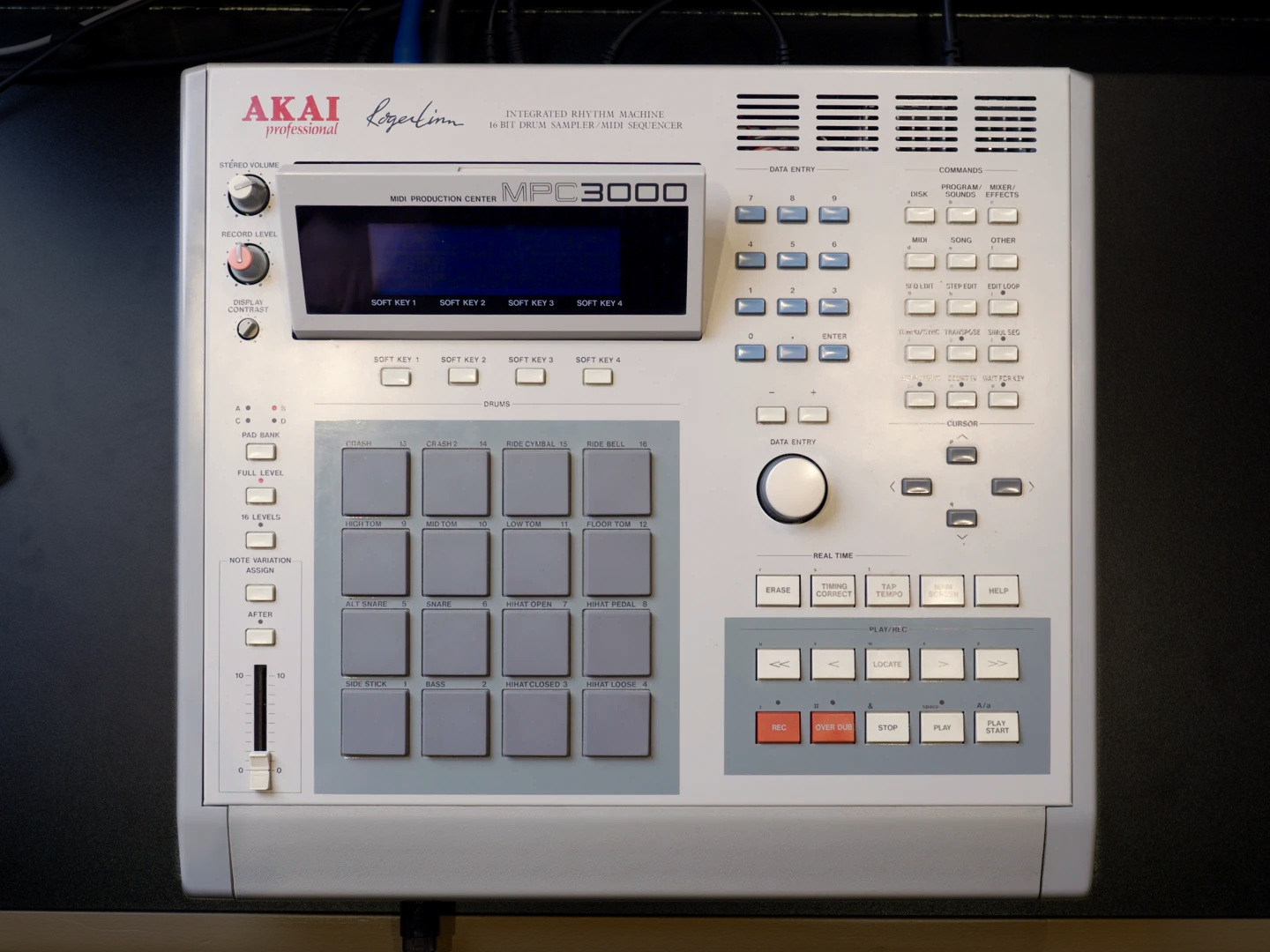
3K PLUS is an independent operating-system upgrade for the Akai MPC3000. Edit waveforms, chop samples from the pads, build mute groups and mute tracks while your sequence plays.
Clevedon Road is P-Money’s workshop for independent audio software. Meet the maker.
Version 1.0 · Loads from floppy · No EPROM changes
New features
- Waveform Editing
- Lazy Chop: tap pads to mark slices and create a new drum program
- Mute Groups
- Track Mutes
- Input Monitoring
- Apply one pad’s settings to every pad
- Alphanumeric Data Wheel entry for simplified file naming
- Accessibility: Screen Mirroring (with free companion app)
New in 1.0
The beta introduced waveform editing, chop zones and mute groups. Version 1.0 brings Lazy Chop: play a sound, tap the pads to mark your slices, refine each slice and turn them into sounds on a new drum program.
Perform track mutes from the pads while the beat plays.
Monitor your inputs with Input Thru during playback.
Copy pad settings across a program.
Mirror the LCD display to your computer screen over MIDI.
- Works with
- Akai MPC3000 with 3.08, 3.11, 3.12 or Vailixi 3.50 EPROMs. One OS file supports all four.
- Requires
- A working floppy drive or compatible Gotek / FlashFloppy emulator. SCSI-only installation is not supported.
- OS files
3K_PLUS.imgfloppy image andSTARTUP.SYS.
Load from disk. Safe to install.
3K PLUS loads from floppy as STARTUP.SYS. Nothing is written to your EPROMs. Remove the disk and restart your MPC to return to stock, anytime.
- Prepare a boot disk. For Gotek / FlashFloppy, copy
3K_PLUS.imgto your USB stick and select it. For a real floppy, write the image to a 1.44 MB HD disk, or copySTARTUP.SYSonto an MPC3000-formatted disk. - Power on with the disk selected. Loading takes about 50 seconds. Look for 3K PLUS 1.0 on the boot screen.
To return to your previous OS, remove the floppy or select another FlashFloppy disk image, then power on again.
Compatibility & testing
Built and tested on an MPC3000 with Vailixi 3.50 EPROMs and approximately 32 MB of sound memory. The 3.08, 3.11 and 3.12 EPROM versions have been tested in emulation; hardware reports are welcome.
Other changes to know about
- Compress sound replaces MIDI Sample Dump on Program/Sounds > 9.
- Input Thru reserves 16 KB of sound memory.
- 3K PLUS saves mute groups in PGM and APS files. Stock systems load those files and ignore the groups.
Made independently of Akai. Back up your work before installing and use copies of your disks. Software is provided as is; you install and use it at your own risk.
Akai, MPC and MPC3000 are trademarks of their owners. Clevedon Road R&D Limited is not Akai Professional and is not endorsed by Akai.
Questions or hardware reports? Contact support.